
MCP Explained: How AI Connects to Tools and Data
A simple introduction to the Model Context Protocol, how it works, and why it makes AI assistants more useful.
Imagine asking an AI assistant to check your project files, look up an issue on GitHub, and summarize what needs to be fixed.
The AI might understand your question perfectly. But if it cannot access your files or GitHub, it cannot do much beyond giving general advice.
That is the problem Model Context Protocol (MCP) tries to solve. Introduced by Anthropic in November 2024, MCP is an open standard that helps AI applications connect to external tools and data in a consistent way.
Let's break it down without making it complicated.
What is MCP?#
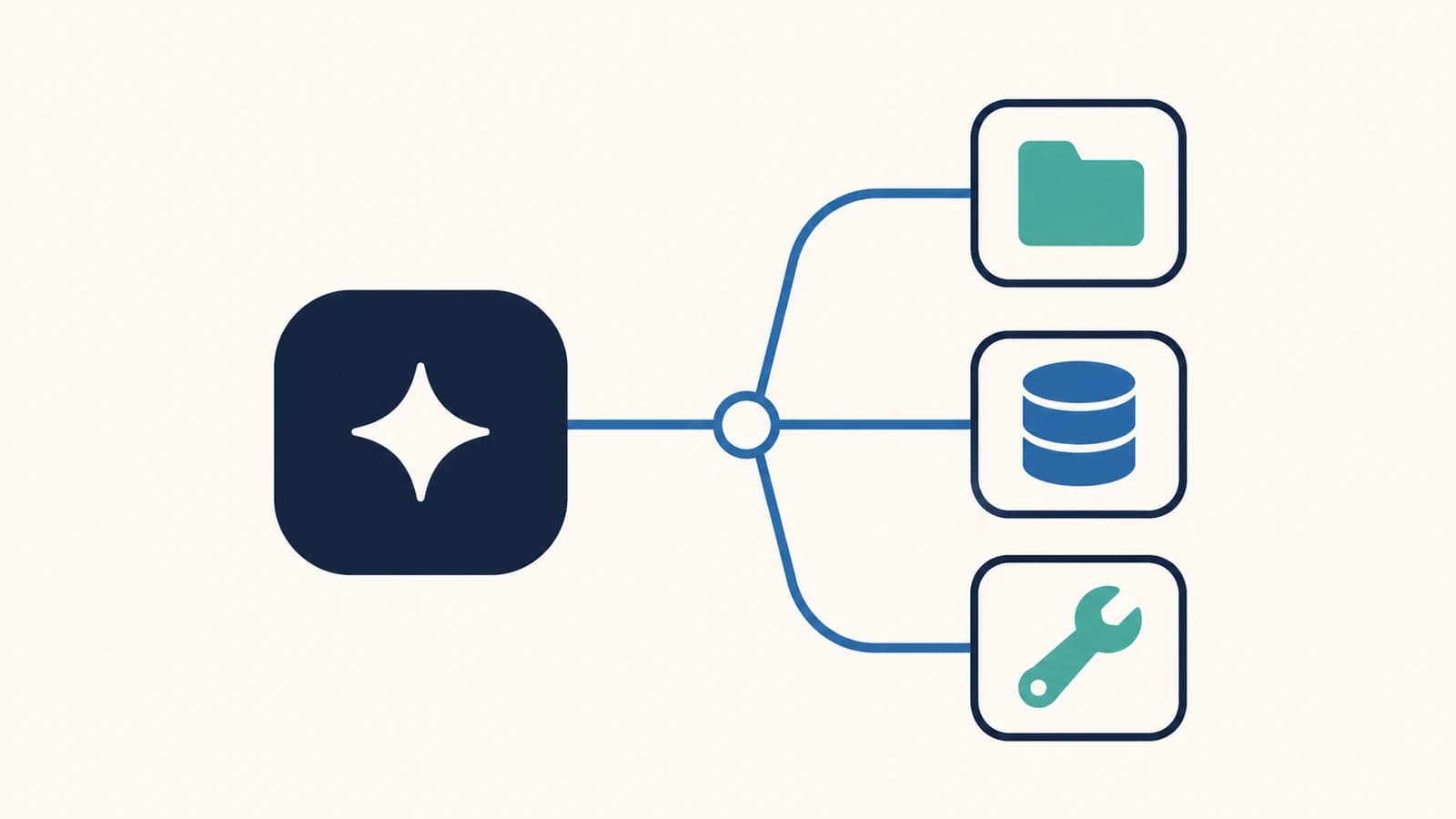
MCP is a common way for AI applications to communicate with other software.
Think about a laptop: you can connect different devices through a standard port instead of needing a completely different connection for each one. MCP aims to bring a similar idea to AI integrations.
For example, an AI assistant could use MCP to:
- Read documents from a folder.
- Search issues in a GitHub repository.
- Get information from a database.
- Use a tool that performs a specific task.
MCP does not give the AI access to everything automatically. You still need to connect a server and decide what it is allowed to access.
Why does MCP matter?#
Without a shared standard, developers often build a custom integration for every combination of AI application and external service.
That takes time, and the same integration work may need to be repeated for a different AI application.
With MCP, a developer can create an MCP server that exposes useful capabilities. AI applications that support MCP can then connect to that server through the same protocol.
The main benefit is less custom integration work, not a smarter AI model. MCP gives an assistant a better way to reach information and tools it could not otherwise use.
How does MCP work?#
There are three main parts:
- Host: The AI application you use, such as a desktop assistant.
- Client: The part inside the host that communicates with an MCP server.
- Server: A program that offers data or actions through MCP.
A host can manage multiple clients. Each client maintains a connection to a particular server.
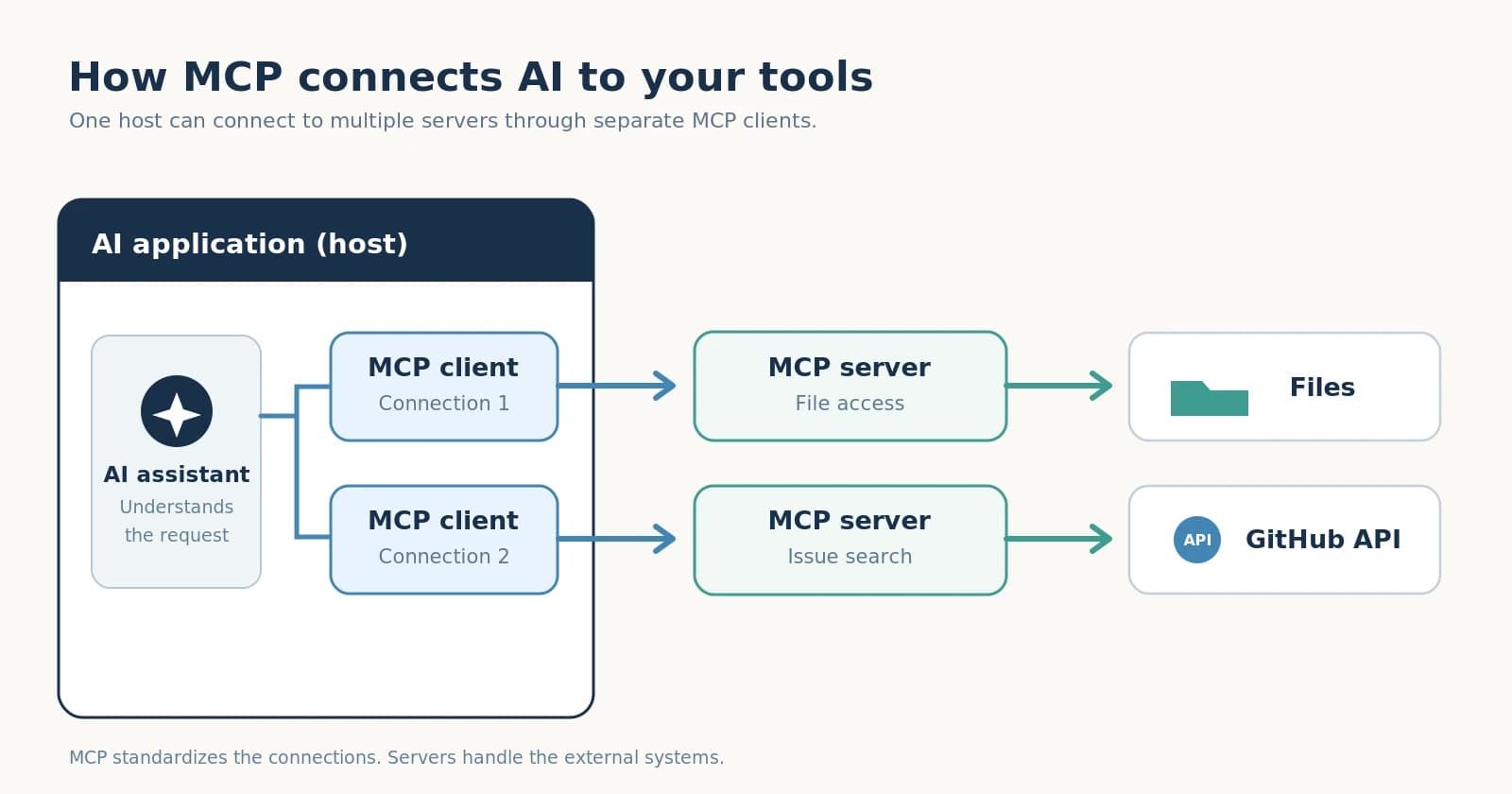
Let's say you ask an AI assistant: "What open issues do I have in my project?"
- The assistant sees that a connected MCP server offers a tool for finding GitHub issues.
- Its MCP client sends a request to that server.
- The server uses the appropriate service or API to fetch the issues.
- The result goes back to the assistant, which can summarize it for you.
The important detail is that the AI application talks to the MCP server through a standard interface. The server handles the connection to the external system.
Tools, resources, and prompts#
An MCP server can offer three main types of features.
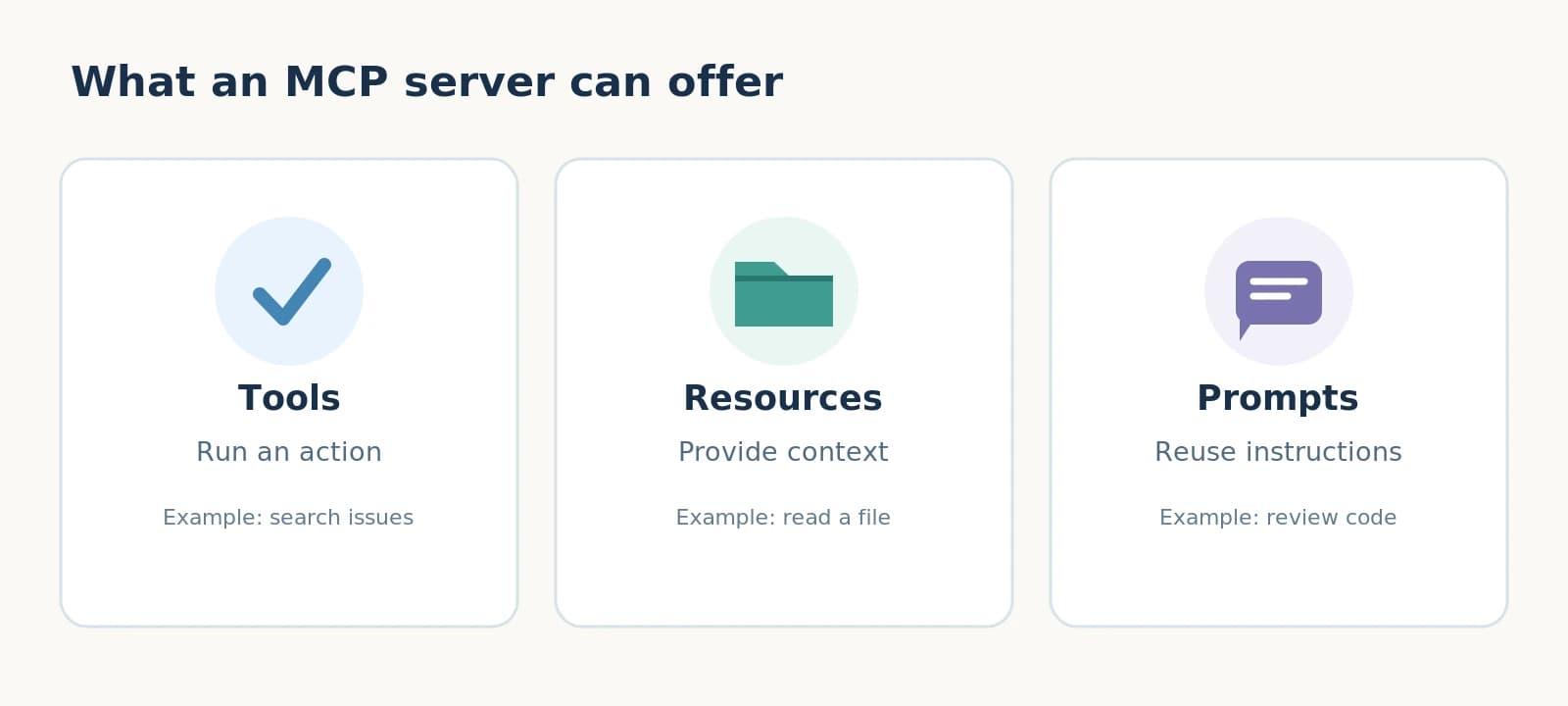
1. Tools: do something#
Tools are functions an AI assistant can request to run.
Examples include searching GitHub issues, querying a database, or creating a file. Each tool describes what it does and what input it expects.
A tool can change data, so sensitive actions should require appropriate permissions and user approval.
2. Resources: read something#
Resources make information available as context.
For example, a server could expose a project document, a file's contents, or a database schema. The AI application can read that information and use it to answer a question.
A simple way to remember the difference: tools perform operations; resources provide information.
3. Prompts: reuse instructions#
Prompts are ready-made templates for common tasks.
A development server might offer a prompt for reviewing code. Another server might provide a prompt for summarizing a document. The user can select a prompt and, when needed, provide arguments to customize it.
A small example#
MCP uses JSON-RPC 2.0 messages. That sounds technical, but the idea is straightforward: a client sends a structured request, and the server returns a structured result.
For example, after connecting and discovering the available tools, a client might send this request:
{
  "jsonrpc": "2.0",
  "id": 1,
  "method": "tools/call",
  "params": {
    "name": "list_open_issues",
    "arguments": {
      "repository": "my-project"
    }
  }
}
Here, list_open_issues is an illustrative tool name. A real MCP server defines its own tools and input formats.
The server would process the request and return the result. The assistant could then turn that result into a normal answer, such as a short summary of the issues.
You do not normally have to write these JSON messages yourself. An MCP-compatible AI application and its client handle the communication.
Does MCP replace APIs?#
No. MCP and APIs solve different problems.
An API gives a program a way to interact with a particular service. MCP provides a standard way for AI applications to discover and use capabilities offered by an MCP server.
In many cases, an MCP server simply calls an existing API behind the scenes.
So if a GitHub MCP server searches your issues, GitHub's API can still be doing the actual work. MCP makes that capability easier to expose to compatible AI applications.
Local or remote: where does the server run?#
An MCP server can run on your computer or on another machine.
In the original MCP specification available in January 2025, two standard ways to communicate are stdio (using a local process's input and output) and HTTP with Server-Sent Events (SSE).
For a beginner, a local server is often the easiest place to start. You can try a small filesystem server and allow it to access a folder you choose.
A note about security#
Connecting an AI assistant to real files and services is useful, but it also creates risks.
A few good rules are:
- Only connect servers you trust.
- Give each server access to the minimum data it needs.
- Review tool calls that could delete, modify, or share information.
- Never assume that text returned by a tool is automatically safe or correct.
MCP defines how systems communicate. It does not automatically make every server or action secure.
How to get started#
You do not need to build your own MCP server to understand the idea.
Start with an AI application that supports MCP, such as Claude Desktop. Try connecting a simple local server, such as a filesystem server, and give it access to a test folder rather than important personal files.
Then ask the assistant a question about those files. Seeing the assistant retrieve information through a server makes the concept much easier to understand.
If you are a developer, the next step is to build a small server that exposes one useful tool. Keep it simple before trying to connect many services.
Final thoughts#
MCP is not a new AI model. It is a way for AI applications to work with the tools and information around them.
The idea is simple: build a connection once, and make it usable through a shared protocol.
It is still early, but MCP offers a practical approach to one of the biggest challenges with AI assistants: giving them useful context and capabilities without creating a separate integration for every tool.

Bilal El Mahdaoui
Full-stack engineer & Tech Lead. Building thoughtful products, from interface to infrastructure.